Private by design
The AI-native word processor for lawyers.
Add-ins are limited by Word. Inchambers is the editor, so AI works on the whole document. Works with your ChatGPT subscription.
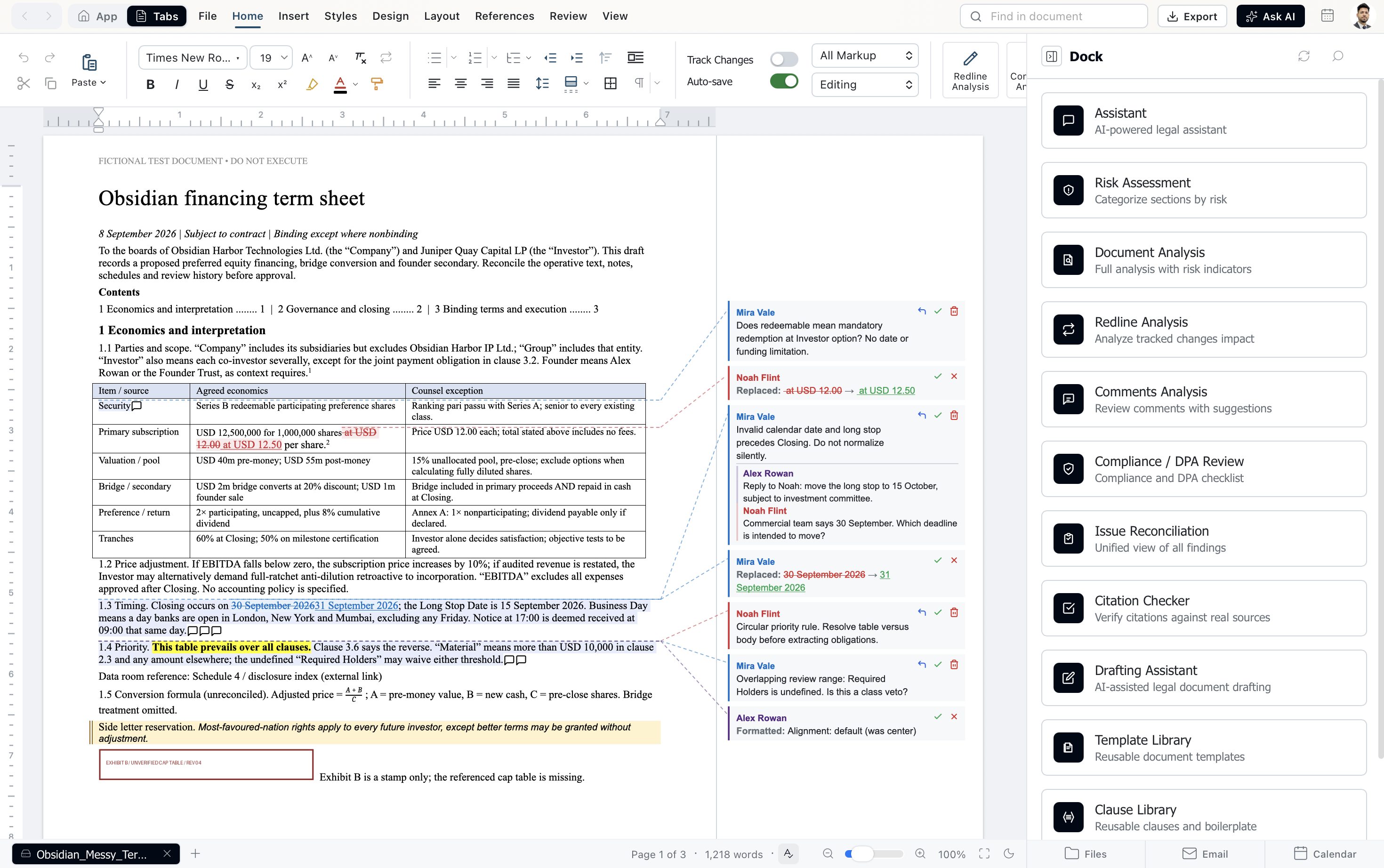
What you can do
Ask for the work. Review it like a colleague's draft.
Redline against your position
Mark up the other side's draft and get every change back as a tracked revision with a comment explaining why.
Answer the comments
Work through a counterparty's margin notes and draft a reply to each one, in the document.
Spot the risk
Review a contract section by section for risk and compliance gaps before it goes to the client.
Draft from your precedents
Start from your own templates and clause library, in your firm's styles and numbering.
Clean up the formatting
Fix numbering and styles across the whole document in one pass.
Ask about the document
Get answers grounded in the agreement in front of you, not a general guess.
Built like Word, only faster
Your files come back exactly as you sent them.
Open a .docx from opposing counsel, work on it, and send it back. Styles, numbering, tracked changes and comments arrive the way Word expects them.
of a Word file preserved when you open and save it
of pages laid out exactly as Word lays them
Word commands that write exactly the file Word writes, run side by side in Word
to start a new paragraph in an 80,000-word agreement. Word takes 58.
Speed measured on a Mac mini M4, 25 October 2026. Layout and command parity checked against Microsoft Word on the same files, 1 November 2026.
Bring your own AI
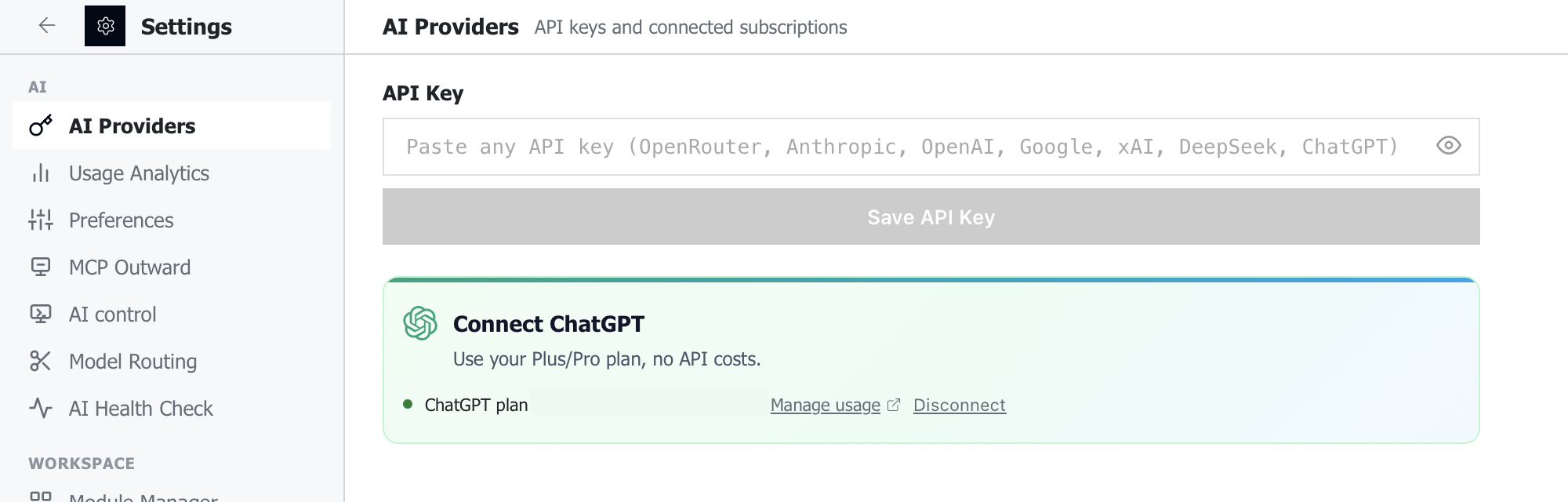
Already pay for ChatGPT? Sign in and start.
Use your ChatGPT Plus or Pro plan, or connect the provider your firm has approved. You pay them directly, and we add no markup.
Prefer working in Claude? It can open and edit the documents you have in Inchambers, and every edit still lands as a tracked change.
Around the document
Your inbox, your drive and your matters, a click away.

Outlook and Gmail, built in
Read the thread next to the draft it is about, and let AI summarize it or write the reply.
OneDrive and Google Drive
Open documents where they already live and save them back in place.
Case law, built in
US and Canadian case law, OCR and PDF tools run on your computer through the desktop app.
Matters, time and billing
Clients, matters, docket, intake with conflict checks, time, invoices and trust accounting.
No document store. Files are opened and edited on your computer, encrypted under a key only you hold.
No prompt log. Requests go from your device to the AI provider you chose.
No outside cloud, if you prefer. Firms can run everything on their own servers, under their own sign-in.
“Before a firm adopts any AI, one partner always asks who else sees the document. I built Inchambers so the answer is: only the model you chose.”
 Pawan KhatriFounder. B.A. LL.B. (HNLU), former corporate lawyer
 Pricing
One price per lawyer. Your AI, your choice.
Use your existing ChatGPT subscription or your own AI key, or deploy across your firm. Cancel any time.
For firms
Roll it out firm-wide, on your own servers.
Single sign-on through Microsoft or Google, firm-wide matters and ethical walls, and the models you approve.









Integrations
Connect the 30+ platforms your firm already runs
Mail, files, document management, courts, billing and the AI provider of your choice. Nothing is copied to us on the way through.
Browse all platformsHow plans differ on AI and privacy
Every plan processes your documents on your device. They differ in how the AI request is routed.
These plans use your own AI provider key. Requests go directly from your device to the provider, so inchambers is never in the path. Maximum separation and privacy.
The 7-day trial uses the same routes as the paid plans: sign in with your ChatGPT subscription, or add your own AI provider key. Requests go from your device to the provider.